


Simplify Lawn Care with Our Efficient Lawn Scheduling App

Managing lawn care can be a real hassle, especially when you have a busy schedule. Keeping your yard looking great takes time, effort, and planning. But what if there was a way to make it easier? That’s where an efficient lawn scheduling app comes in. It helps you organize your lawn care tasks, so you never miss a beat. Let me walk you through how this simple tool can change the way you care for your lawn.
Why You Need an Efficient Lawn Scheduling App
Lawn care involves many tasks: mowing, watering, fertilizing, weed control, and more. Each task has its own timing and frequency. Without a plan, it’s easy to forget or do things at the wrong time. This can lead to a patchy, unhealthy lawn.
An efficient lawn scheduling app helps you keep track of all these tasks. It sends reminders and lets you plan ahead. You can set up a schedule that fits your lawn’s needs and your busy life. This way, your lawn stays healthy and beautiful without extra stress.
For example, you can schedule mowing every week, watering twice a week, and fertilizing monthly. The app will remind you when it’s time to do each task. You won’t have to guess or rely on memory. This saves time and keeps your lawn in top shape.

How Our Efficient Lawn Scheduling App Works
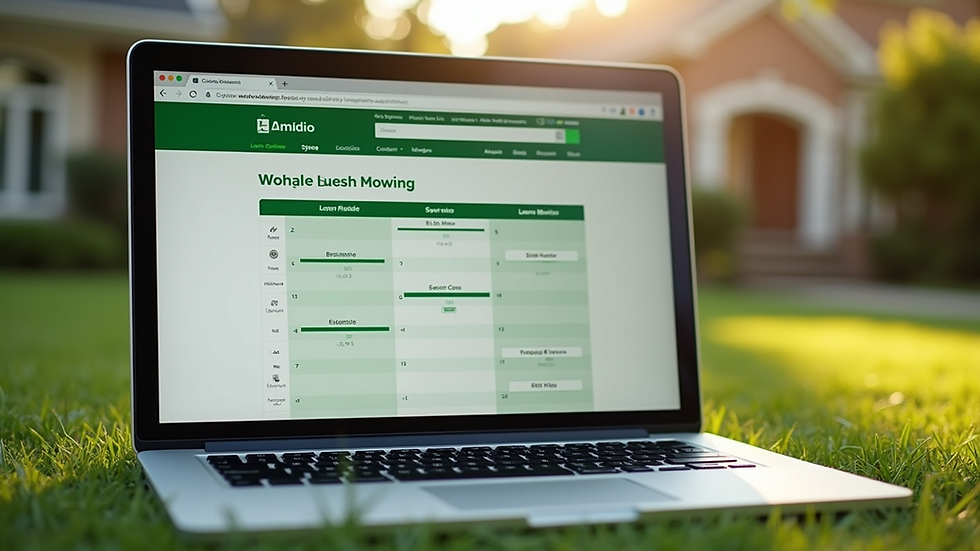
Our app is designed to be simple and user-friendly. You don’t need to be a lawn care expert to use it. Here’s how it works:
Set Up Your Lawn Profile
Enter details about your lawn size, grass type, and local climate. This helps the app tailor the schedule to your lawn’s specific needs.
Choose Your Services
Select the tasks you want to include, like mowing, watering, fertilizing, aeration, or pest control.
Create a Schedule
The app suggests an optimal schedule based on your lawn profile. You can adjust it to fit your availability.
Get Reminders
Receive notifications on your phone or email when it’s time to perform each task.
Track Progress
Mark tasks as done and keep a history of your lawn care activities.
This approach takes the guesswork out of lawn maintenance. It helps you stay consistent, which is key to a healthy lawn.
Is There a Free App to Help with Landscaping?
If you’re wondering about free options, yes, there are some apps that offer basic lawn and landscaping scheduling features at no cost. These free apps usually cover simple tasks like mowing reminders and watering schedules. However, they might lack advanced features like customized fertilization plans or pest control alerts.
For busy property owners who want a reliable and comprehensive tool, investing in a more robust app can be worth it. It saves time and ensures your lawn care is done right. Some apps also offer free trials, so you can test them before committing.
Keep in mind, the best app for you depends on your lawn’s needs and how much help you want with scheduling and reminders.

Benefits of Using a Lawn Care Scheduling App for Busy Property Owners
Using a lawn care scheduling app offers many benefits, especially if you have a busy lifestyle:
Saves Time
No more guessing or last-minute rushing. The app keeps you on track.
Improves Lawn Health
Timely care means your grass grows strong and stays green.
Reduces Stress
You don’t have to remember every task or worry about missing something important.
Customizable Plans
Tailor the schedule to your lawn’s unique needs and your availability.
Cost-Effective
Prevent costly lawn problems by staying consistent with care.
Easy Communication
If you hire a lawn service, you can share your schedule with them for better coordination.
For example, if you run a small business with a commercial property, keeping the lawn neat is part of your image. The app helps you maintain a professional look without extra effort.
How to Get Started with Our Lawn Care Scheduling App
Getting started is easy. Here’s a simple step-by-step guide:
Download the App
Find it on your phone’s app store or visit the website.
Create an Account
Sign up with your email or social media.
Enter Lawn Details
Provide info about your lawn size, grass type, and location.
Select Services
Choose the lawn care tasks you want to schedule.
Set Your Preferences
Pick days and times that work best for you.
Start Receiving Reminders
Follow the notifications and mark tasks as complete.
If you want, you can also connect with local lawn care professionals to get expert help based on your schedule.
For those who want to try it out, check out this lawn care scheduling app to see how it can simplify your lawn care routine.
Making Lawn Care Simple and Stress-Free
Lawn care doesn’t have to be a chore. With the right tools, it can be simple and even enjoyable. An efficient lawn scheduling app takes the hard work out of planning and remembering. It helps you keep your lawn looking great all year round.
Whether you have a small yard or a large commercial property, this app can save you time and effort. It’s like having a personal lawn care assistant in your pocket. You get reminders, tips, and a clear plan to follow.
Try it today and see how much easier lawn care can be. Your lawn will thank you, and you’ll enjoy more free time.
Ready to simplify your lawn care? Start using an efficient lawn scheduling app and take the stress out of maintaining a beautiful yard.


Comments